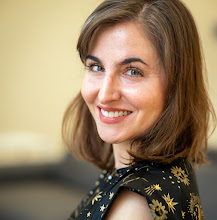
David Hogg came Scicoder to talk to us about Test-Driven Coding. He is pretty awesome.
Testing Your Code
1 bug / 1000 lines of code.
Ways to deal with this:
1) Test Driving Programming
2) Open-Source
3) Do Science with Code
Extreme Coding
1) Pair coding (coding together)
2) Stand up meetings (don't talk -- do)
3) Test Driving Programming (see below)
4) Minimal Implementation (re-factor frequently) only code things that you are actually going to use.
Test-Driven Programming
1) First write a test function to perform all possible tests you can imagine for your function.
2) Then run write the function and see how many of the tests it passes...
3) Keep modifying your function until it passes all the tests
4) Can't use code, check into repository unless it passes all tests
Functional Testing
1) Generate fake data + garbage
2) Run code
3) Did you get back what you put in?
4) Put assert statements in your code, such that if these assertions fail your code fails and spits out an error.
Have to be careful not to generate fake data that covered the entire spectrum of properties of your real data --- thus you could not be testing all cases or making all possible assertions.
But at the end of the day... what we really care about it this:
How do I know that my results are correct? ← (Probably not answerable)
or in real life...
Why do I think that my students results are correct?
- You do science with real data.
- You get results that you think you can publish and people will believe you (seriously this is what he said).
Blanton et. al. Luminosity Function Paper was originally a test by Mike Blanton to see if the SDSS data software pipeline was working and turned into one of the highest refereed papers out of the Sloan Survey. Thus testing really does matter.
On a side note, a link to my blog made it into Hogg's blog, and the thus circle is now complete.
Showing posts with label scicoder. Show all posts
Showing posts with label scicoder. Show all posts
Friday, June 25, 2010


Thursday, June 24, 2010
SQL Commands (for accessing database)
Here is the database schema:

Below is for the database in the respository ../Database/Student database solution....
To start program:
cd
sqlite3 student_data.sqlite
Commands:
sqlite> .schema
CREATE TABLE "Club" ("id" INTEGER PRIMARY KEY NOT NULL ,"name" TEXT NOT NULL );
CREATE TABLE "Status" ("id" INTEGER PRIMARY KEY NOT NULL ,"label" TEXT NOT NULL );
CREATE TABLE "Student" ("id" INTEGER PRIMARY KEY NOT NULL ,"first_name" TEXT NOT NULL ,"last_name" TEXT NOT NULL , "status_id" INTEGER NOT NULL DEFAULT 0);
CREATE TABLE "student_to_club" ("student_id" INTEGER NOT NULL , "club_id" INTEGER NOT NULL , PRIMARY KEY ("student_id", "club_id"));
CREATE TABLE "student_to_supervisor" ("student_id" INTEGER NOT NULL , "supervisor_id" INTEGER NOT NULL , PRIMARY KEY ("student_id", "supervisor_id"));
CREATE TABLE "supervisor" ("id" INTEGER PRIMARY KEY NOT NULL ,"name" TEXT NOT NULL ,"room" TEXT NOT NULL );
sqlite> select count(*) FROM student;
100
sqlite> select count(first_name) FROM student;
100
sqlite> select count() FROM student;
100
sqlite> SELECT * FROM student LIMIT 5;
1|Cara|Rogers|1
2|Ori|Mejia|2
3|Leandra|Stevens|3
4|Danielle|Moody|1
5|Josiah|Barber|1
sqlite> SELECT first_name FROM student LIMIT 5;
Cara
Ori
Leandra
Danielle
Josiah
sqlite> SELECT first_name FROM student ORDER BY first_name ASC LIMIT 5;
Adara
Aileen
Alfreda
Amaya
Amber
sqlite> SELECT first_name FROM student ORDER BY first_name DESC LIMIT 5;
Yeo
Xantha
Wing
Wade
Timothy
sqlite> SELECT first_name, last_name FROM student ORDER BY last_name DESC LIMIT 5;
Galena|Zimmerman
Aileen|Wilkinson
Josephine|Wilkinson
Nerea|Whitney
Elmo|Webb
sqlite> SELECT first_name, last_name FROM student WHERE id=5;
Josiah|Barber
sqlite> SELECT first_name, last_name FROM student WHERE first_name like 'F%';
Fritz|Mccormick
Florence|Lang
sqlite> SELECT id, first_name, last_name FROM student WHERE id BETWEEN 10 and 15;
10|Leroy|Kent
11|Sandra|Carrillo
12|Raya|Thompson
13|Jael|Craig
14|Joshua|Forbes
15|Eve|Hinton
sqlite> SELECT id, first_name, last_name FROM student WHERE id in (15, 23, 6, 56, 9);
6|Wing|Gordon
9|Libby|Osborn
15|Eve|Hinton
23|Magee|Petersen
56|Philip|Parks
sqlite> SELECT id, first_name, last_name FROM student WHERE first_name in ('Libby', 'Philip');
9|Libby|Osborn
56|Philip|Parks
sqlite> SELECT sum(id) FROM student;
5050
sqlite> SELECT min(id) FROM student;
1
sqlite> SELECT max(id) FROM student;
100
sqlite> SELECT first_name, last_name, label FROM student JOIN status ON student.status_id = status.id LIMIT 5;
Cara|Rogers|Sophomore
Ori|Mejia|Senior
Leandra|Stevens|Freshman
Danielle|Moody|Sophomore
Josiah|Barber|Sophomore
sqlite> SELECT first_name, last_name, name FROM student JOIN student_to_club ON student_to_club.student_id = student.id JOIN club ON student_to_club.club_id = club.id LIMIT 5;
Cara|Rogers|Chess
Cara|Rogers|Improvisation
Cara|Rogers|Rugby
Cara|Rogers|Debate
Ori|Mejia|Debate
sqlite> SELECT first_name, last_name FROM student JOIN student_to_club ON student_to_club.student_id = student.id JOIN club ON student_to_club.club_id = club.id WHERE name = 'Chess'LIMIT 5;
Cara|Rogers
Wing|Gordon
Eagan|Hogan
Jael|Craig
Joshua|Forbes
sqlite> CREATE VIEW student_clubs AS SELECT first_name, last_name, name FROM student JOIN student_to_club ON student_to_club.student_id = student.id JOIN club on student_to_club.club_id=club.id;
sqlite> select * from student_clubs LIMIT 5;
Cara|Rogers|Chess
Cara|Rogers|Improvisation
Cara|Rogers|Rugby
Cara|Rogers|Debate
Ori|Mejia|Debate
sqlite> INSERT INTO student(first_name, last_name, status_id) VALUES ('Egon', 'Spengler', 4);
sqlite> UPDATE student SET status_id = (SELECT id FROM status WHERE label = 'Freshman') WHERE id = 101;
sqlite> SELECT * from student WHERE id = 101;
101|Egon|Spengler|3
Bash Command
jessica@mac Student database solution % echo "SELECT * FROM student LIMIT 5;" | sqlite3 -header -separator ' ' student_data.sqlite
id first_name last_name status_id
1 Cara Rogers 1
2 Ori Mejia 2
3 Leandra Stevens 3
4 Danielle Moody 1
5 Josiah Barber 1
Wednesday, June 23, 2010
Blanton SDSS Data Talk
Blanton gave a detailed talk about SDSS Imaging Data which I think has a bunch of useful information so I want to re-post it here. The pdf of the talk is on the repository. Click on any of the below slides to enlarge.


Tuesday, June 22, 2010
Introduction to Databases
Add on the Firefox Database Manager: SQLight Manager.
Start by creating a schema for your data.
Every table within your database will have an ID as the first column of your table. This should be the primary key for that table.
You should think about how different tables map to each other and if each column of your table should have unique values or not.
Some documentation is here: http://www.postgresql.org/docs/8.4/interactive/datatype-numeric.html
Start by creating a schema for your data.
Every table within your database will have an ID as the first column of your table. This should be the primary key for that table.
You should think about how different tables map to each other and if each column of your table should have unique values or not.
Some documentation is here: http://www.postgresql.org/docs/8.4/interactive/datatype-numeric.html
SciCoder Repository
The sciCoder repository is here: http://subversion.assembla.com/svn/scicoder
It has the lectures for the course.
It has the lectures for the course.
Monday, June 21, 2010
Environment Variables
Some commands to remember about Environment Variables:
echo $HOME
/Users/jessica
echo $PATH
/Library/Frameworks/Python.framework/Versions/Current/bin:/sw/bin:/sw/sbin:/Library/Frameworks/Python.framework/Versions/Current/bin:/Users/jessica/python/MyModules:/Users/jessica/idl/photoop/bin:/Users/jessica/idl/idlspec2d/bin:/Users/jessica/idl/idlutils/bin:/Applications/rsi/idl/bin:/usr/local/bin:/usr/X11R6/bin:/bin:/sbin:/usr/bin:/usr/sbin:/usr/texbin:/usr/local/bin:/Users/jessica/bin:/usr/local/bin:.:/Users/jessica/bin:/usr/local/bin:.
which ls
/bin/ls
env
MANPATH=/sw/share/man:/Library/Frameworks/Python.framework/Versions/Current/share/man:/usr/X11R6/share/man:/usr/share/man:/usr/X11/man:/sw/lib/perl5/5.10.0/man:/usr/X11R6/man
IDLSPEC2D_DIR=/Users/jessica/idl/idlspec2d
TERM_PROGRAM=Apple_Terminal
TERM=xterm-color
SHELL=/bin/bash
TMPDIR=/var/folders/ay/ay3fH9RRFLSKHrn6zK-vhE+++TI/-Tmp-/
PERL5LIB=/sw/lib/perl5:/sw/lib/perl5/darwin
IDL_DIR=/Applications/rsi/idl
Apple_PubSub_Socket_Render=/tmp/launch-BDx2kp/Render
CVSROOT=:pserver:anonymous@sdsscvs.astro.princeton.edu:/usr/local/cvsroot
TERM_PROGRAM_VERSION=273
KCORRECT_DIR=/Users/jessica/idl/kcorrect
SGML_CATALOG_FILES=/sw/etc/sgml/catalog
USER=jessica
LD_LIBRARY_PATH=:/Users/jessica/idl/kcorrect/lib
COMMAND_MODE=unix2003
SSH_AUTH_SOCK=/tmp/launch-k6t2m6/Listeners
__CF_USER_TEXT_ENCODING=0x1F5:0:0
PHOTOOP_DIR=/Users/jessica/idl/photoop
PATH=/Library/Frameworks/Python.framework/Versions/Current/bin:/sw/bin:/sw/sbin:/Library/Frameworks/Python.framework/Versions/Current/bin:/Users/jessica/python/MyModules:/Users/jessica/idl/photoop/bin:/Users/jessica/idl/idlspec2d/bin:/Users/jessica/idl/idlutils/bin:/Applications/rsi/idl/bin:/usr/local/bin:/usr/X11R6/bin:/bin:/sbin:/usr/bin:/usr/sbin:/usr/texbin:/usr/local/bin:/Users/jessica/bin:/usr/local/bin:.:/Users/jessica/bin:/usr/local/bin:.
MKL_NUM_THREADS=1
XML_CATALOG_FILES=/sw/etc/xml/catalog
SPECTRO_DATA=/Users/jessica/spectro
PWD=/Users/jessica
LANG=en_US.UTF-8
SHLVL=1
HOME=/Users/jessica
IDL_PATH=+./:+/Users/jessica/Documents/Research/IDLCode/newman/spherepairs:+/Users/jessica/Documents/Research/IDLCode:+/Users/jessica/Documents/Research/IDLCode/newman:+/Users/jessica/Documents/Research/QSOClustering/pro:+/Users/jessica/idl:+/Users/jessica/idl/photoop/pro:+/Users/jessica/idl/idlspec2d/pro:+/Users/jessica/idl/idlutils/pro:+/Users/jessica/idl/idlutils/goddard/pro:+/Applications/rsi/idl/lib
PYTHONPATH=/Users/jessica/python/MyModules:/Users/jessica/idl/photoop/bin:/Users/jessica/idl/idlspec2d/bin:/Users/jessica/idl/idlutils/bin:/Applications/rsi/idl/bin:/usr/local/bin:/usr/X11R6/bin:/bin:/sbin:/usr/bin:/usr/sbin:/usr/texbin:/usr/local/bin
LOGNAME=jessica
CVS_RSH=ssh
IDLUTILS_DIR=/Users/jessica/idl/idlutils
INFOPATH=/sw/share/info:/sw/info:/usr/share/info
DISPLAY=/tmp/launch-cHq9RL/org.x:0
QSO_DIR=/Users/jessica/Documents/Research/QSODir
_=/usr/bin/env
type -a python
python is /Library/Frameworks/Python.framework/Versions/Current/bin/python
python is /Library/Frameworks/Python.framework/Versions/Current/bin/python
python is /usr/local/bin/python
python is /usr/bin/python
python is /usr/local/bin/python
python is /usr/local/bin/python
python is /usr/local/bin/python
export VARIABLE="value"
echo $VARIABLE
value
echo $HOME
/Users/jessica
echo $PATH
/Library/Frameworks/Python.framework/Versions/Current/bin:/sw/bin:/sw/sbin:/Library/Frameworks/Python.framework/Versions/Current/bin:/Users/jessica/python/MyModules:/Users/jessica/idl/photoop/bin:/Users/jessica/idl/idlspec2d/bin:/Users/jessica/idl/idlutils/bin:/Applications/rsi/idl/bin:/usr/local/bin:/usr/X11R6/bin:/bin:/sbin:/usr/bin:/usr/sbin:/usr/texbin:/usr/local/bin:/Users/jessica/bin:/usr/local/bin:.:/Users/jessica/bin:/usr/local/bin:.
which ls
/bin/ls
env
MANPATH=/sw/share/man:/Library/Frameworks/Python.framework/Versions/Current/share/man:/usr/X11R6/share/man:/usr/share/man:/usr/X11/man:/sw/lib/perl5/5.10.0/man:/usr/X11R6/man
IDLSPEC2D_DIR=/Users/jessica/idl/idlspec2d
TERM_PROGRAM=Apple_Terminal
TERM=xterm-color
SHELL=/bin/bash
TMPDIR=/var/folders/ay/ay3fH9RRFLSKHrn6zK-vhE+++TI/-Tmp-/
PERL5LIB=/sw/lib/perl5:/sw/lib/perl5/darwin
IDL_DIR=/Applications/rsi/idl
Apple_PubSub_Socket_Render=/tmp/launch-BDx2kp/Render
CVSROOT=:pserver:anonymous@sdsscvs.astro.princeton.edu:/usr/local/cvsroot
TERM_PROGRAM_VERSION=273
KCORRECT_DIR=/Users/jessica/idl/kcorrect
SGML_CATALOG_FILES=/sw/etc/sgml/catalog
USER=jessica
LD_LIBRARY_PATH=:/Users/jessica/idl/kcorrect/lib
COMMAND_MODE=unix2003
SSH_AUTH_SOCK=/tmp/launch-k6t2m6/Listeners
__CF_USER_TEXT_ENCODING=0x1F5:0:0
PHOTOOP_DIR=/Users/jessica/idl/photoop
PATH=/Library/Frameworks/Python.framework/Versions/Current/bin:/sw/bin:/sw/sbin:/Library/Frameworks/Python.framework/Versions/Current/bin:/Users/jessica/python/MyModules:/Users/jessica/idl/photoop/bin:/Users/jessica/idl/idlspec2d/bin:/Users/jessica/idl/idlutils/bin:/Applications/rsi/idl/bin:/usr/local/bin:/usr/X11R6/bin:/bin:/sbin:/usr/bin:/usr/sbin:/usr/texbin:/usr/local/bin:/Users/jessica/bin:/usr/local/bin:.:/Users/jessica/bin:/usr/local/bin:.
MKL_NUM_THREADS=1
XML_CATALOG_FILES=/sw/etc/xml/catalog
SPECTRO_DATA=/Users/jessica/spectro
PWD=/Users/jessica
LANG=en_US.UTF-8
SHLVL=1
HOME=/Users/jessica
IDL_PATH=+./:+/Users/jessica/Documents/Research/IDLCode/newman/spherepairs:+/Users/jessica/Documents/Research/IDLCode:+/Users/jessica/Documents/Research/IDLCode/newman:+/Users/jessica/Documents/Research/QSOClustering/pro:+/Users/jessica/idl:+/Users/jessica/idl/photoop/pro:+/Users/jessica/idl/idlspec2d/pro:+/Users/jessica/idl/idlutils/pro:+/Users/jessica/idl/idlutils/goddard/pro:+/Applications/rsi/idl/lib
PYTHONPATH=/Users/jessica/python/MyModules:/Users/jessica/idl/photoop/bin:/Users/jessica/idl/idlspec2d/bin:/Users/jessica/idl/idlutils/bin:/Applications/rsi/idl/bin:/usr/local/bin:/usr/X11R6/bin:/bin:/sbin:/usr/bin:/usr/sbin:/usr/texbin:/usr/local/bin
LOGNAME=jessica
CVS_RSH=ssh
IDLUTILS_DIR=/Users/jessica/idl/idlutils
INFOPATH=/sw/share/info:/sw/info:/usr/share/info
DISPLAY=/tmp/launch-cHq9RL/org.x:0
QSO_DIR=/Users/jessica/Documents/Research/QSODir
_=/usr/bin/env
type -a python
python is /Library/Frameworks/Python.framework/Versions/Current/bin/python
python is /Library/Frameworks/Python.framework/Versions/Current/bin/python
python is /usr/local/bin/python
python is /usr/bin/python
python is /usr/local/bin/python
python is /usr/local/bin/python
python is /usr/local/bin/python
export VARIABLE="value"
echo $VARIABLE
value
Subscribe to:
Posts (Atom)